# 15. Dashboard- Admin Panel
### 15. Dashboard
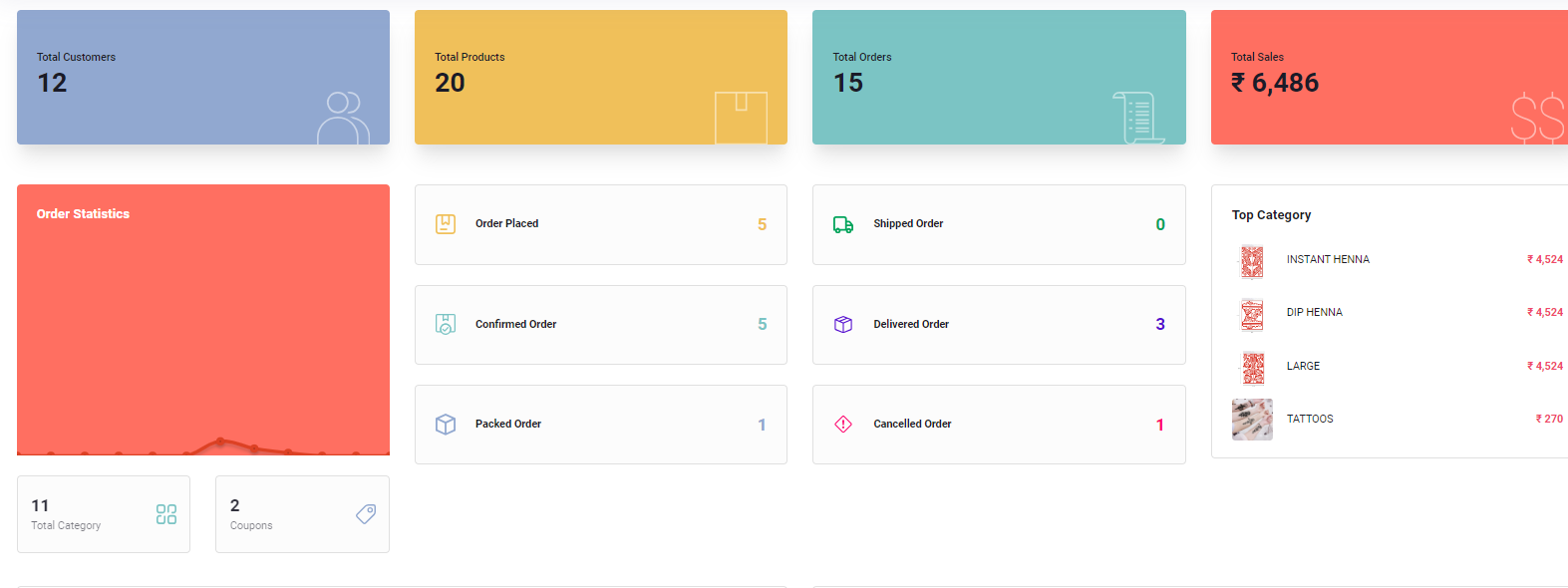
The Dashboard serves as a comprehensive overview of the application's key metrics and performance indicators. It provides valuable insights into various aspects of the e-commerce platform, allowing administrators to monitor and analyze critical data. Dashboard is country-based, and administrators can switch between countries using the profile function in the top right corner. The statistics displayed on the Dashboard are specific to the logged country and include:
* Total Categories
* Total Products
* Total Sales
* Total Sale Amount
* Order Count Based on Status
* This Month, Week, Day Sales Count and Amount
Dashboard interface
#### 15.1 Key Metrics
#### Total Customers
This metric reflects the total number of registered customers in the system, providing a fundamental indicator of the user base.
#### Total Products
Indicating the overall count of products available in the platform, this metric gives administrators a quick view of the product catalog's size.
#### Total Orders
The cumulative count of all orders placed on the platform, offering insights into the volume of transactions.
#### Total Sales
A crucial metric that represents the total monetary value of all sales transactions, helping administrators gauge the overall revenue generated.
#### 15.2 Order Statistics
#### Total Categories
Displays the number of product categories available, allowing administrators to understand the diversity of the product range.
#### Total Coupons
Indicates the total count of available coupons in the system, providing insights into ongoing promotional activities.
#### 15.3 Order Status
This section provides a snapshot of the current status of orders in the system, tracking them through various stages:
#### Order Placed
The number of orders that have been placed by customers but are yet to undergo further processing.
#### Confirmed Order
Represents orders for which the payment has been confirmed, indicating progress in the order fulfillment process.
#### Packed Order
Indicates the number of orders that have been packed and are ready for shipment, moving closer to delivery.
#### Shipped Order
Reflects the count of orders that have been dispatched for delivery to customers.
#### Delivered Order
Shows the number of orders that have been successfully delivered to customers, marking the completion of the order lifecycle.
#### Cancelled Order
Represents the count of orders that have been canceled by either the customer or the system.
#### 15.4 Top Categories
Highlights the product categories that are currently performing well or are popular among customers, providing valuable insights for marketing and inventory management.
#### 15.5 Sales Statistics
#### Sales Statistics
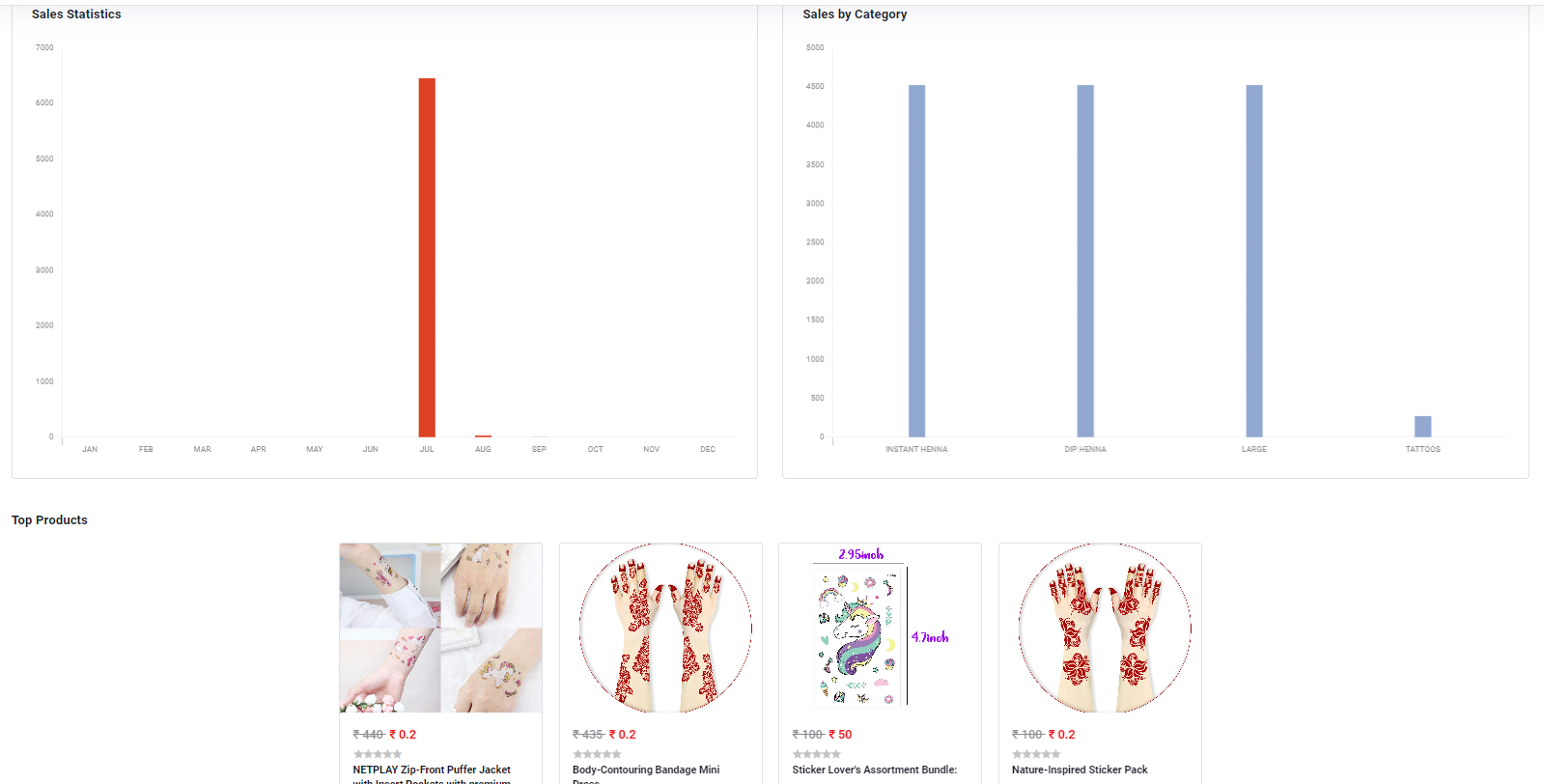
Offers an overview of the overall sales performance, including total sales and key metrics.
#### Sales by Category
Breaks down sales figures based on different product categories, helping administrators identify high-performing product segments.
#### Top Products
Spotlights the best-performing products based on sales data, assisting administrators in understanding customer preferences. Most selling 10 products for the selected country will be prominently featured. The country-specific Dashboard provides administrators with targeted insights into the performance of the e-commerce platform in different regions.