# 9. Home Page Setup- Admin Panel
### **9. Home Page Setup**
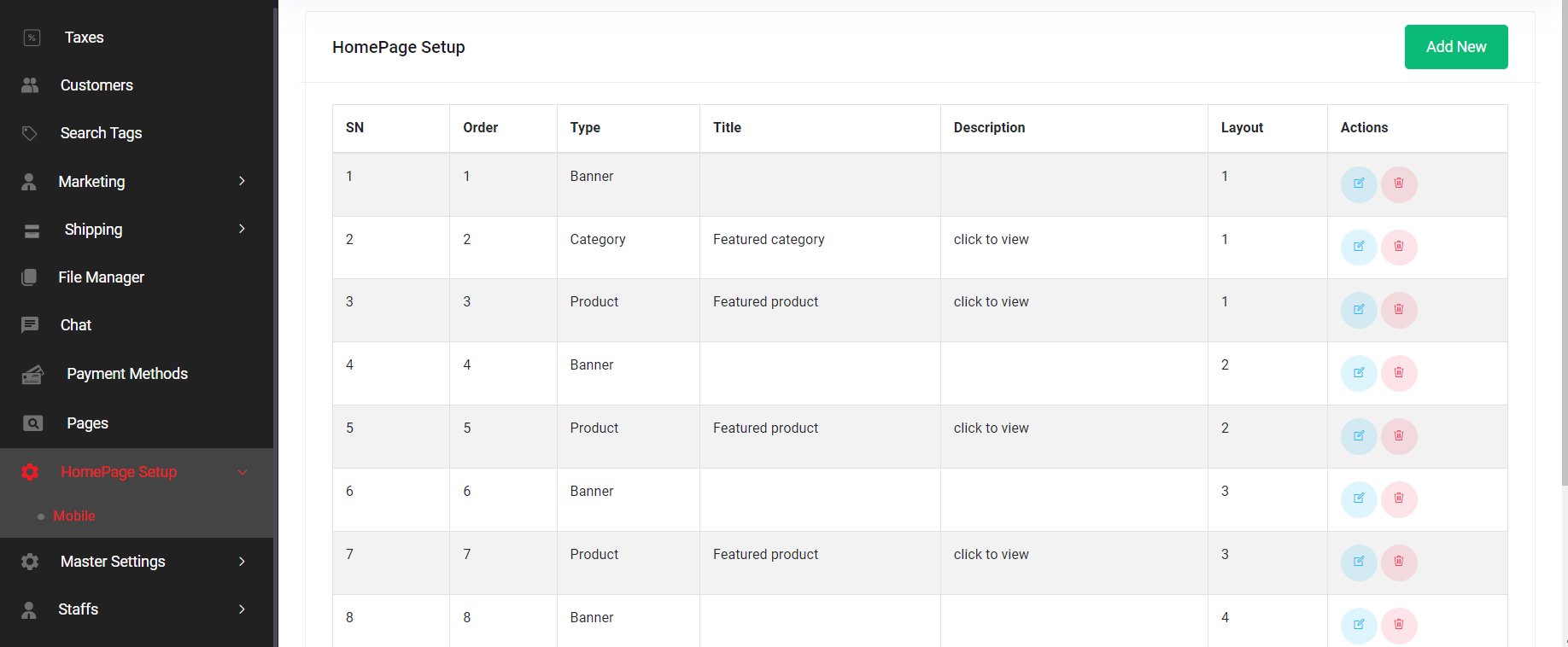
The Home Page Setup section is integral to configuring the mobile homepage of the application. It offers a dynamic and flexible layout tailored to each country. Mobile home pages vary by region, with distinct sections assigned for products, banners, and categories.
Home page layout listing
#### ***9.1 Mobile***
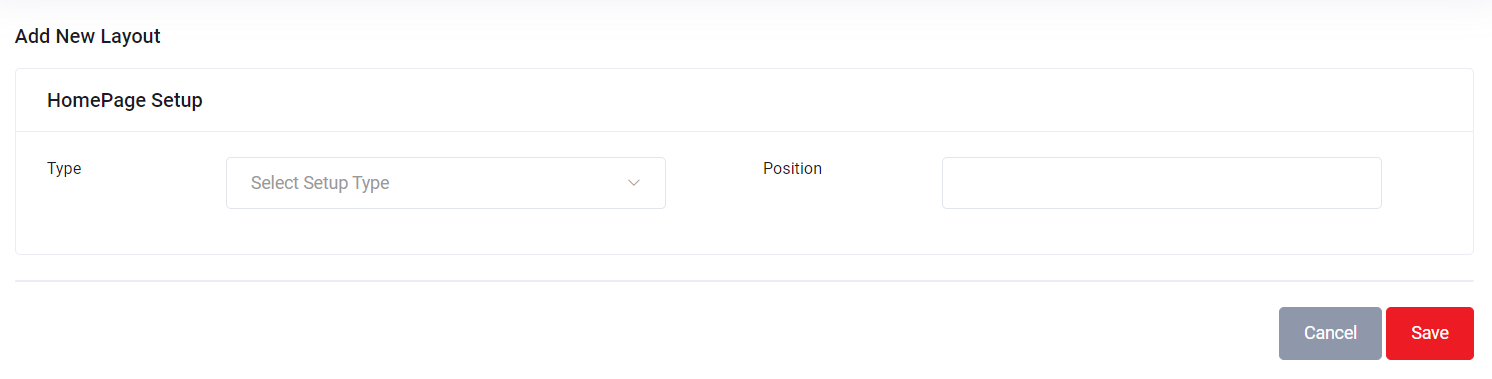
* **9.1.1 Add New**: Administrators can introduce new sections to the mobile homepage layout, customizing the appearance to cater to specific country-based preferences.
Add new layout interface
* **9.1.2 Edit**: Existing sections can be modified or updated to ensure the mobile homepage layout remains current and engaging.
* **9.1.3 Delete**: This function allows administrators to remove sections from the mobile homepage layout when they are no longer required.
**Mobile Home Page Section List**
Administrators can access the following features to manage the mobile home page:
* **Order**: This indicates the section's position within the layout. By adjusting the order number, administrators can reposition sections higher or lower on the page.
* **Type**: Administrators can specify if each section is designed for categories, products, or banners.
* **Title**: A heading for sections designed for products and categories.
* **Layout**: Sections tailored for products have five distinct layout options, each offering a unique user interface on the mobile end. Category sections, on the other hand, have a single available layout. For banner sections, there are four layout choices, each influencing the mobile user interface.
* **Add New**: Admins can introduce new sections using this feature.
**Section Set as Banner**
All mobile banners are served from the admin panel. Various features pertain to these banners:
Adding Banner interface
* There are four available banner layouts on the home page.
* Banner sliders support multiple images.
* Search Keyword: Used for query searches on the frontend, enabling users to click banners and view lists of products based on search keywords. If no search keyword is specified, the banner remains non-clickable.
* Layout Options:
* Layout 1: Wide strip banner
* Layout 2: Home main banner
* Layout 3: Wide banner
* Layout 4: Two-layout banner
**Section Set as Product**
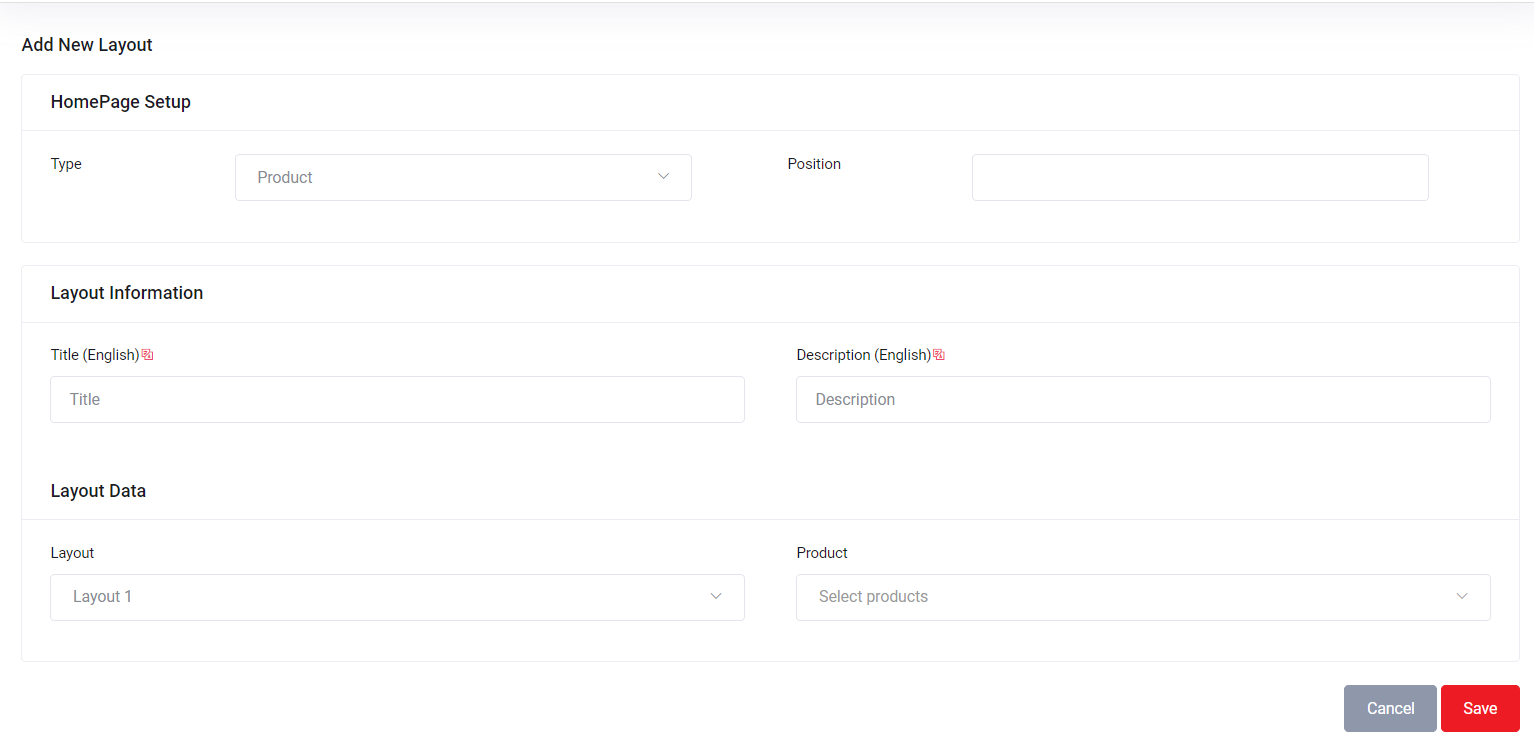
For sections set as products, administrators can assign a layout number from 1 to 5. Layout numbers correspond to different product display layouts on the mobile front-end. From the search field, admin can search and add products & Bundle products.
Adding Product interface
Layout Options:
* Layout 1
* Layout 2
* Layout 3
* Layout 4
* Layout 5
**Section Set as Category**
Sections designated for products and categories function in a similar manner:
Category adding interface
* Admins can specify the section title and description, though these fields are optional.
* Title and description fields support translation into available languages for each country.
* Only one layout is available for categories.
* From the search field, admin can search and add categories.
**Translation**
Translation setup can be accessed through the "Edit" link in the action menu. Translation is applicable to product and category sections and involves translating the title and description fields into available languages for each country.
This comprehensive setup provides administrators with the tools they need to configure the mobile homepage's layout, ensuring it aligns with the preferences and requirements of specific countries.